Join AACJoin AAC Files, How to Join AAC Files to One AAC |
 |
| Home | Getting Started | Download | Buy Now! | Screen Shots | FAQ | Support | Contact |
Total Audio MP3 Converter joins multiple AAC files to one AAC easily and quickly. The software also joins MP3, WAV, AAC, M4A, M4B, AIFF, OGG, and WMA to one file. Total Audio MP3 Converter is full compatible with 32-bit and 64-bit Vista and Windows 7.
AAC - Stands for Advanced Audio Coding. It's a type of digital audio file and has been promoted as the successor to the once-dominant digital audio filetype, MP3. AAC generally offers higher-quality sound than an MP3 while using the same amount of disk space. While AAC is often perceived as an proprietary Apple format, it was in fact developed by a group of companies including AT&T Bell Labs, Dolby, Sony, and Nokia. As a result of this, AAC files can be played on a range of non-Apple devices, including the Microsoft Zune, Sony PlayStation 3 and PSP, the Nintendo Wii, and mobile phones running Google's Android OS, among many others. Advanced Audio Coding is designed to be the successor of the MPEG-1 Audio Layer 3, known as MP3 format, which was specified by ISO/IEC in 11172-3 (MPEG-1 Audio) and 13818-3 (MPEG-2 Audio). Blind tests show that AAC demonstrates greater sound quality and transparency than MP3 for files coded at the same bit rate. How to Join AAC Files to One AAC?
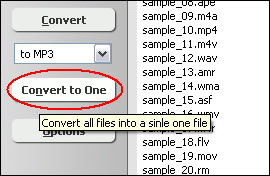
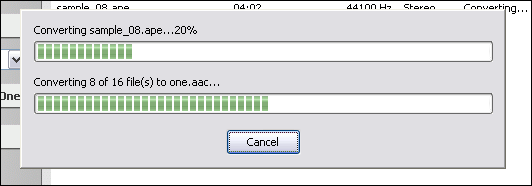
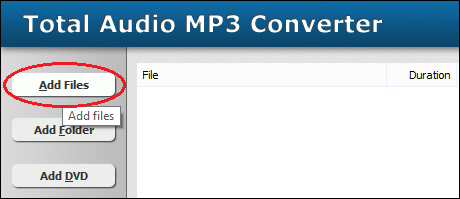 Click "Add Files" button to choose AAC files and add them to joining list. 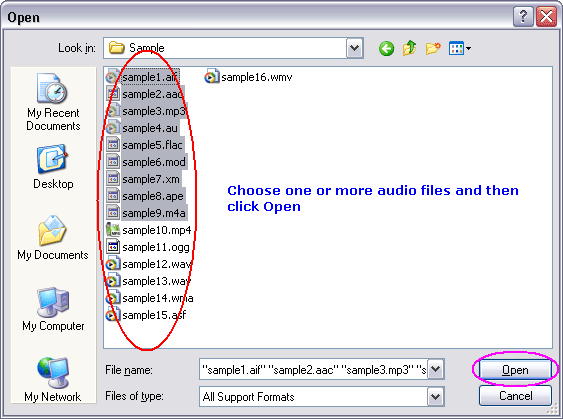 Choose one or more AAC files you want to join and then click Open. 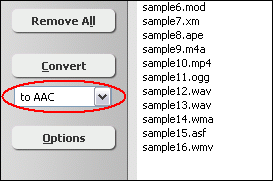 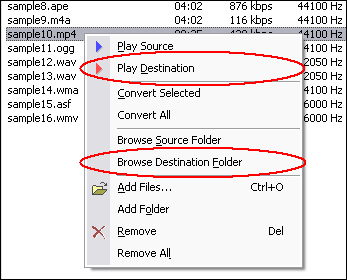 Right-click converted item and choose "Play Destination" to play the destination file, choose "Browse Destination Folder" to open Windows Explorer to browse the destination file. Join AAC Related Topics: AMR to AAC, AC3 to AAC, ADX to AAC, CDA to AAC, FLAC to AAC, IT to AAC, MP3 to AAC, MP4 to AAC, MPC to AAC, S3M to AAC, SND to AAC, UMX to AAC, WAV to AAC, DIF to AAC, DTS to AAC, FLV to AAC, MKV to AAC, MOV to AAC, MPA to AAC, CD to AAC, VOB to AAC, Resample AAC
|



| Home | Getting Started | Download | Buy Now! | Screen Shots | FAQ | Support | Contact | Links |
| Copyright © 2008-2017 Hoo Technologies All rights reserved. Privacy Policy |