AAC to MP3 ConverterConvert AAC to MP3, Free Download |
 |
| Home | Getting Started | Download | Buy Now! | Screen Shots | FAQ | Support | Contact |
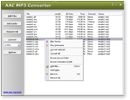
AAC to MP3 Converter converts AAC to MP3 and MP3 to AAC. The software is a professional audio converter that supports more than 90 audio and video files, and keeps ID3 tag when converting. The software is full compatible with Vista and Windows 7/8. You can change encoding parameters of target files such as sample frequency, bit rate, channels, and quality. You can add ID3 tag to output file, or transfer ID3 tag from original file when converting. The AAC to MP3 Converter is able to normalize volume, convert specified length, output file to a custom folder and keep directory stree structure, and split left and right channels into two independent files. The software also supports batch conversion. You can add a bulk of files and then convert to target format at a time. Advanced Audio Coding (AAC) is a standardized, lossy compression and encoding scheme for digital audio. Designed to be the successor of the MP3 format, AAC generally achieves better sound quality than MP3 at similar bit rates. AAC is conceptually similar to the ubiquitous MP3 format. Like MP3, it takes advantage of deficiencies in human hearing to discard digital bits corresponding to sounds unlikely to be heard. The human hearing system cannot hear quiet sounds in the presence of loud sounds of a similar frequency; for example, a voice conversation cannot be heard while a jumbo jet flies low overhead. Known as auditory masking, this phenomenon allows the discarding of data with minimal loss of fidelity. AAC takes a modular approach to encoding. Depending on the complexity of the bitstream to be encoded, the desired performance and the acceptable output, implementers may create profiles to define which of a specific set of tools they want use for a particular application. So the AAC LD coding scheme bridges the gap between speech coding schemes and high quality audio coding schemes.
AAC to MP3 Converter is 100% clean and safe to install.
It's certified by major download sites.
Top 9 Benefits of AAC to MP3 Converter:
AAC to MP3 Converter converts AAC files into MP3 format. So you can play it in your MP3 player. If you want to burn your AAC onto a CD and play in your CD player, you should convert them into WAV format first. You can rip your audio CD into AAC files by AAC to MP3 Converter. Why not MP3. Because AAC files are generally higher quality and slightly smaller than MP3 files of the same song; and more and more portable devices support AAC file now. AAC file can be encoded with MPEG2 and MPEG4. However, some software and devices only support MPEG2 such as Philips Expanium; and some others only support MPEG4 such iTurn and iPod. You can use the software the resample AAC from MPEG2 and MPEG4, and from MPEG4 to MPEG2. And, you can also resample a large-size AAC file into a smaller one using the converter. The software can add ID3 tag (includes title, artist, album, year, comment and genre) when converting files to MP3/MP4/M4A/M4B. The software also supports to keep ID3 tag (includes ID3v1 and ID3v2) of original files when converting. If sound of your AAC files is too low or high, you can use AAC to MP3 Converter to increase or decrease the sound volume like AACGain. AAC to MP3 Converter supports batch conversion. You can add multiple files or a folder, or drag and drop files and folders onto main window of the converter; it will search all supported files and add them to conversion list. When you click Convert, all files will be converted in batch. If you have bulk of files within different folders, and you want to convert them to AAC/MP3/WAV format and keep original directory tree, the AAC to MP3 Converter is just the software you need. AAC to MP3 Converter is very easy-to-use without knowledge of AAC and MP3. File Formats AAC to MP3 Converter Supported:
AAC to MP3 Converter Key Features:
AAC to MP3 Converter Quick Info:
AAC to MP3 Converter Tutorials:
|



| Home | Getting Started | Download | Buy Now! | Screen Shots | FAQ | Support | Contact | Links |
| Copyright © 2008-2017 Hoo Technologies All rights reserved. Privacy Policy |